
Share This Post
I’ve been using Waves Tune Real-Time on and off for years, and after putting it through plenty of vocal sessions recently, I figured it was time to give it a proper review. This plugin sits in the same lane as Auto-Tune and other pitch correction plugins, but it approaches things in a slightly different way. In this Waves Tune Real-Time Review, I’ll break down what it actually does well, where it struggles, and how it stacks up against AutoTune 2026.
What Waves Tune Real-Time Is
Waves Tune Real-Time is exactly what it sounds like — a real-time pitch correction plugin designed for tracking, monitoring, and fast editing. You get instant pitch correction with low latency, simple controls, and a clean interface. It’s built to be musical and fast rather than packed with 50 tweakable parameters.
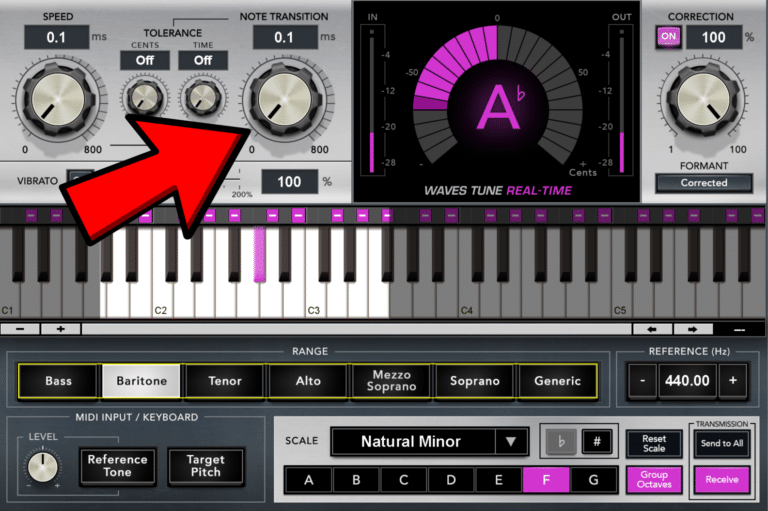
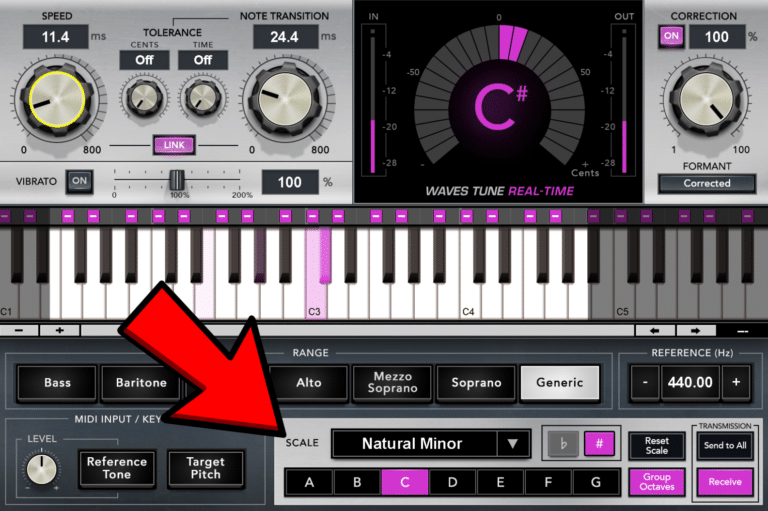
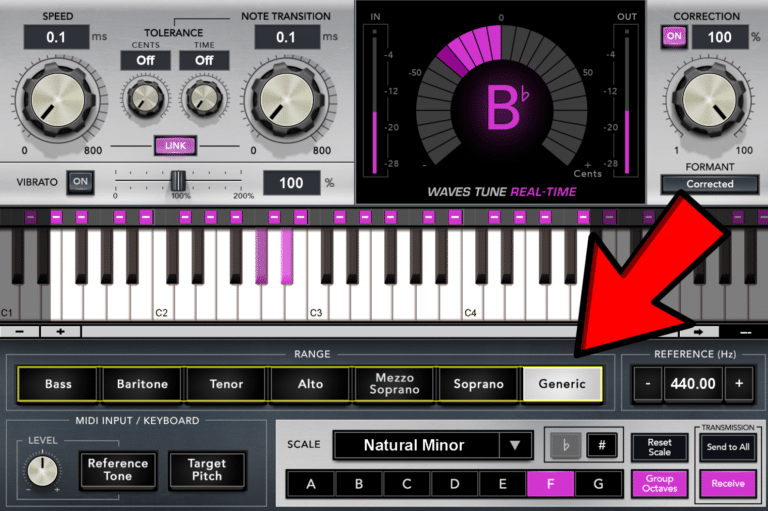
When you load it up, you mainly set the scale, adjust speed, note transition, and tune. That’s it. No deep menus, no hidden pages, no endless advanced features. And honestly, that’s what I enjoy about it the most.
I use it for both tracking and mixing—especially in large sessions and within my Waves vocal chains.
How I Use Waves Tune Real-Time
In my day-to-day workflow, it’s my go-to when I’m tracking vocals.
Latency is extremely low, so you can slap it on an input chain and singers feel confident immediately. I also use it for mixing, especially in large sessions and inside my Waves vocal chains. Even with multiple tracks running, it stays light on CPU and easy to manage. For background vocals, it’s perfect — I tune each vocal channel individually, and the plugin keeps everything tight without overloading the session.
For subtle transparent correction, it does a great job. You can set slower note transitions and speed to get a natural feel. For heavier correction or that modern pop/hip-hop robotic sound, it locks in pretty tightly too.
The thing I especially appreciate is the CPU efficiency. In big sessions with lots of tracks, it doesn’t drag your system down. Even with multiple instances, it stays smooth.
Sonically, it has a slightly different flavor compared to Auto-Tune. It’s very subtle — but to my ears, Auto-Tune has a slightly softer, more “ear-pleasing” curve. Waves Tune Real-Time sounds a bit tighter and more direct. Not harsh, just a different texture.
What I Like About Waves Tune Real-Time
✔ Low CPU usage – Huge advantage when vocal tracking or running multiple vocal layers.
✔ Very easy to dial in – Fast workflow with minimal menu diving.
✔ Great for real-time tracking – Low latency and stable.
✔ Clean sound with a slightly unique flavor – A bit different than Auto-Tune, in a good way.
✔ Affordable – Especially compared to Auto-Tune’s price tag.
What I Don’t Like About Waves Tune Real-Time
✘ Not as “polished” sounding as Auto-Tune – Auto-Tune still has that slightly smoother curve.
✘ Fewer advanced features – No deep control like formant shaping or humanize options you get in bigger pitch suites.
✘ Less common in major studios – More engineers default to Auto-Tune by habit.
✘ Can sound too rigid at extreme settings – Not as flexible for creative FX.
Waves Tune Real-Time vs AutoTune 2026
This is the comparison everyone asks about, so here’s my honest take.
Sound Differences:
Auto-Tune 2026 offers both Modern and Classic modes—the Modern mode is softer and smoother, while Classic is more crunchy. Waves Tune Real-Time sits in between the two, a bit more direct and immediate. The difference is subtle, but singers and engineers with tuned ears can definitely notice it.
CPU Usage:
Waves wins here. In my sessions, it feels lighter and runs smoothly even in stacked tracks. Auto-Tune 2026 added a Live Mode that reduces CPU, but it still feels heavier overall.
Workflow:
Waves Tune Real-Time is simple and fast.
AutoTune 2026 is also very clean and intuitive—arguably even cleaner than the Waves pitch correction plugin —while still offering deeper options if you need them.
Price:
Auto-Tune 2026 is significantly more expensive. Honestly, I don’t think the price difference is justified unless you absolutely need the Auto-Tune signature sound or advanced features.
Negatives on Both:
Waves Tune Real-Time: fewer features, not as silky-sounding.
Auto-Tune 2026: much heavier CPU load, more expensive.
Overall:
If you need fast, clean, reliable tuning — Waves Tune Real-Time is the smarter everyday choice.
If you want the most polished correction and deeper options — Auto-Tune 2026 is the industry king, just pricey.
Final Thoughts
Waves Tune Real-Time remains one of my go-to plugins for both tracking and mixing vocals. It’s light on CPU—even in large sessions—easy to use, and sits sonically between Auto-Tune 2026’s Modern and Classic modes, giving a direct yet musical feel. I use it a little more than Auto-Tune mainly because it’s so well integrated into Waves StudioVerse, which I love for vocal chains. Auto-Tune 2026 is still fantastic, with a clean design and deep features, but for quick workflow and seamless integration, Waves Tune Real-Time often gets the nod in my sessions.
If you want a real-time tuner that’s effortless on both individual channels and full vocal chains, Waves’ pitch correction is definitely worth adding to your toolbox.
If you want to try Waves Tune Real-Time, you can grab it through our affiliate link → https://waves.alzt.net/jr6aAM — it helps support us at no extra cost to you!
And if you’re curious to dive deeper into Auto-Tune 2026 and explore its Modern and Classic modes, check out our full review here → https://dxt3r.com/autotune-2026-review/ .