
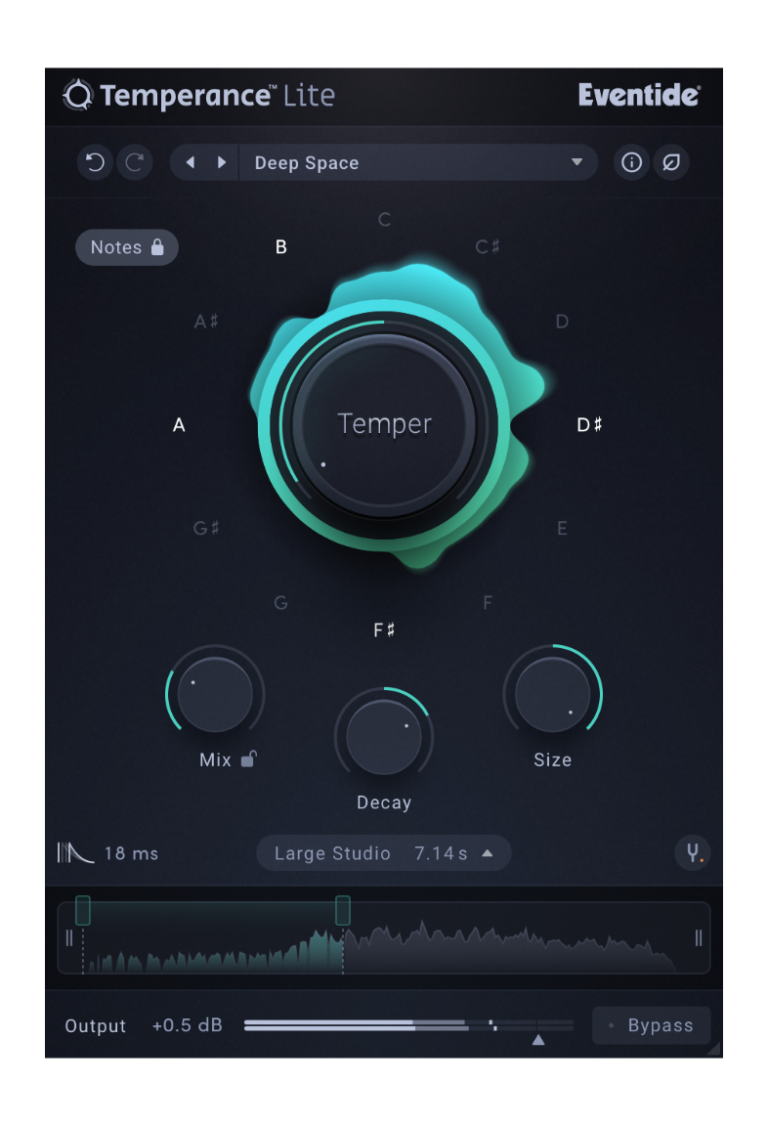

Eventide released Eventide Temperance Lite, a reverb that introduces something pretty unconventional: modal reverb shaping combined with musical “tempering.” After spending time using it on vocals, synths, drums, and a couple atmospheric mixes, I wanted to break down how this plugin actually works, what makes it special, and where it fits in a real workflow.
Here’s my full Eventide Temperance Lite Review — based on real use and the official user guide.
The Eventide Temperance Lite plugin is a modal reverb that lets you emphasize or remove the resonances that correspond to musical notes. Instead of just “space + decay,” Temperance Lite works on the level of modes — literally thousands of tiny resonant filters that make up a space.
This is why Eventide calls it Tempered Ambiance:
you can tune the reverb to the musical notes you want and suppress the ones you don’t.
It can be a clean studio reverb, a tuned atmospheric effect, or a strange filtered tone generator depending on how you use it.
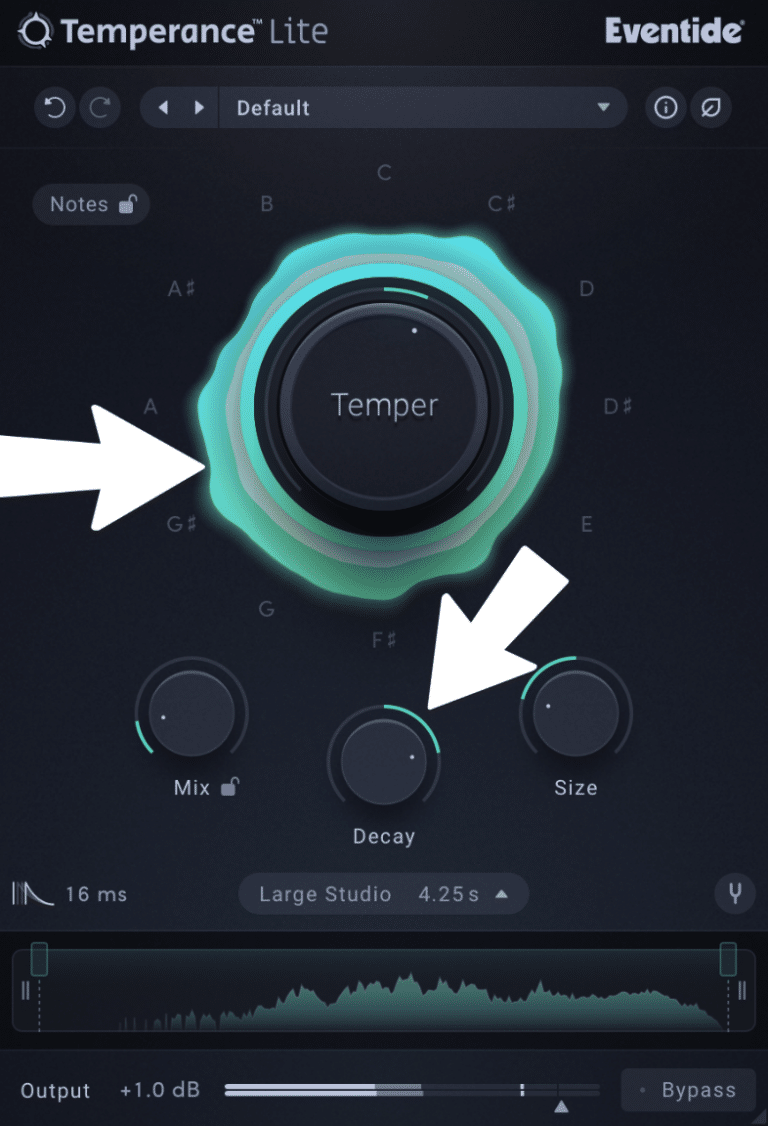
There are three Modal Responses — basically the core reverb types:
Bright Room (longer, digital-styled space)
Large Studio (natural, balanced room)
Synthetic Space (hyper-clean, frequency-shifting space)
You can stretch or shrink any MR using the Decay and Size controls, which dramatically change RT60 and space perception.
This is the star of the Eventide Temperance Lite reverb.
Turn right: Emphasizes the musical notes you select
Turn left: Suppresses those notes and boosts all others
Center: No tempering — acts like a standard reverb
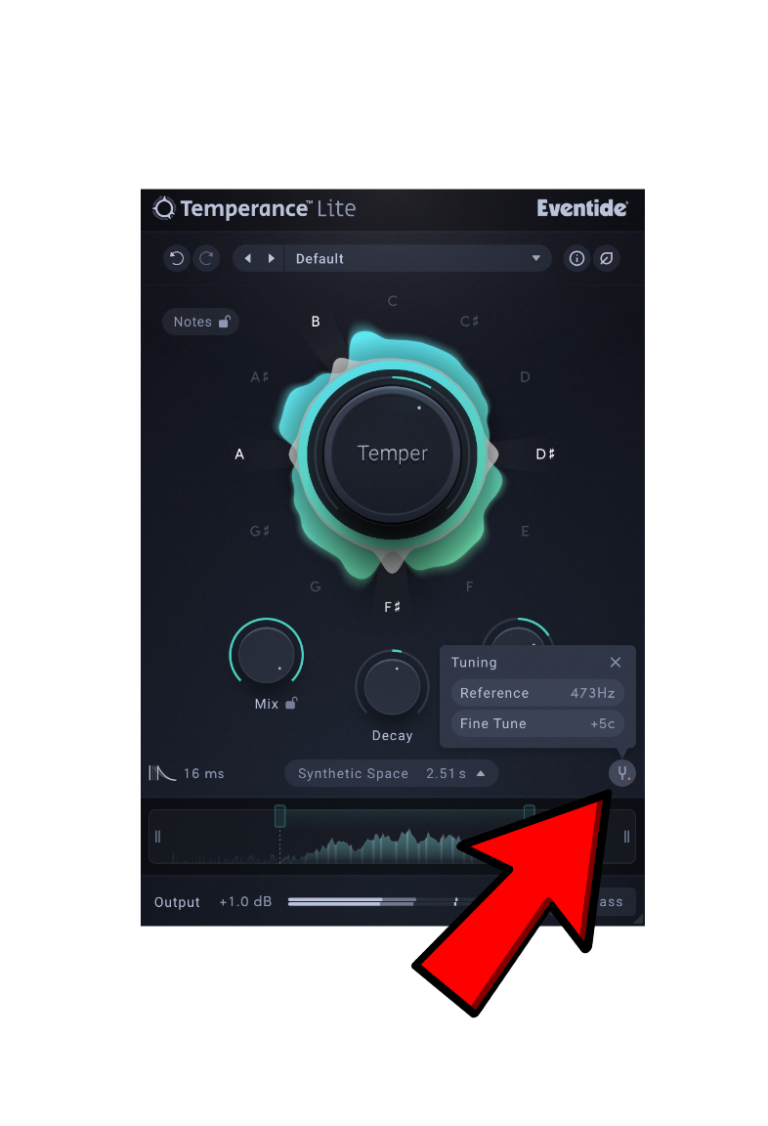
You choose which notes of the 12-tone scale the reverb responds to.
These apply across all octaves, so selecting just A and E can create a very musical ambient tail.
This determines which part of the spectrum gets tempered.
You can focus the musical tuning on lows, mids, highs, or everything.
Temperance Lite includes two visuals:
NoteScape → shows which notes are being boosted or suppressed
Spectrum Analyzer → shows what parts of the reverb are being affected
These displays react dynamically and make it surprisingly easy to understand what’s happening.
Here’s where I found it most effective:
Dialing the Temper knob slightly right while selecting only a few notes creates a tuned shimmer that floats behind the voice without muddying the midrange.
It reminds me of eventide-y “harmonic halo” vibes but more controllable.
If you want to pair this with a polished front-end, you can also try our pre-built vocal chains, which are already tuned and set up for different vocal styles. They work great with Temperance Lite’s tonal shaping.
This is its strongest application.
When you pick a few notes and temper the mids/highs, the reverb becomes harmonic, almost like it’s singing along with the synth.
You can make drones and pads breathe and move with very little effort.
Turning the Temper knob left suppresses certain notes and boosts everything else, creating:
metallic textures
hollow resonances
alien spaces
It’s extremely fun if you like designing atmosphere or weird transitions.
It works, but I found it less consistent.
You can get cool tuned rooms for snares and percs, but it can smear transients if you push it too far.
✔ Unique concept — a genuinely new take on reverb
✔ Musical shaping — select notes to tune the reverb
✔ High-quality sound for a temporary freebie
✔ Great visuals that help with understanding
✔ Works beautifully on vocals and synths
✔ Eco Mode helps manage CPU
✔ Free until December 31, making it a no-brainer to grab now
✘ Not beginner-friendly — more complex than it first looks
✘ Can get overly resonant if you push the Temper knob too far
✘ More limited than the full Temperance version
✘ Busy UI for new users
✘ Not the best for drums needing transparency
✘ After Dec 31, it won’t be free — so the clock is ticking
Eventide Temperance Lite is one of the most creative reverb ideas released in years, especially for something currently free. The Eventide Temperance Lite plugin adds harmonic movement, musical tuning, and detailed spatial shaping that you simply don’t get from typical plate/room/hall plugins.
It shines on vocals, pads, drones, and cinematic sound design.
It’s less ideal for ultra-clean mixing or percussive sources — but that’s not the point.
And since it’s only free until December 31, now is the time to download it and see what it brings to your mixes.
👉 Download Eventide Temperance Lite (Free until Dec 31):
https://eventideinc.pxf.io/09rzqE
This post contains affiliate links. If you click through these links and make a purchase, you help support our work at no extra cost to you — thank you! 🙌
| Cookie | Duration | Description |
|---|---|---|
| cookielawinfo-checkbox-analytics | 11 months | This cookie is set by GDPR Cookie Consent plugin. The cookie is used to store the user consent for the cookies in the category "Analytics". |
| cookielawinfo-checkbox-functional | 11 months | The cookie is set by GDPR cookie consent to record the user consent for the cookies in the category "Functional". |
| cookielawinfo-checkbox-necessary | 11 months | This cookie is set by GDPR Cookie Consent plugin. The cookies is used to store the user consent for the cookies in the category "Necessary". |
| cookielawinfo-checkbox-others | 11 months | This cookie is set by GDPR Cookie Consent plugin. The cookie is used to store the user consent for the cookies in the category "Other. |
| cookielawinfo-checkbox-performance | 11 months | This cookie is set by GDPR Cookie Consent plugin. The cookie is used to store the user consent for the cookies in the category "Performance". |
| viewed_cookie_policy | 11 months | The cookie is set by the GDPR Cookie Consent plugin and is used to store whether or not user has consented to the use of cookies. It does not store any personal data. |