
In this Suno Review, I’m taking a closer look at how good Suno really is for music production and whether it’s ready for professional use.
Suno has reached the point where it can generate a surprisingly decent song in seconds. Give it a prompt, choose a direction, and you can have something resembling a finished production almost instantly.
But does that mean Suno is ready to replace producers, musicians and engineers?
Not quite.
I’ve spent a lot of time working with AI-generated music, including taking Suno songs apart, mixing the stems and trying to push them closer to professional release quality.
And while Suno is incredibly useful, there are still some very obvious problems with the sound.
Here’s my take.
What Is Suno AI Actually Good For?
The biggest advantage of Suno is simple: Speed.
If you need music for a YouTube video, film, podcast, social content or something playing quietly in the background, Suno can create usable ideas almost instantly.
But I actually think one of its best uses is testing ideas.
Maybe you’ve got a concept for a song but you’re not sure how the arrangement could develop.
Maybe you have some lyrics and want to hear what they might sound like as a full production.
Or maybe you’re looking for a melody, chord progression or sample idea to build around.
Suno can get you from “I wonder if this would work?” to something you can actually listen to extremely quickly. That alone makes it a powerful creative tool.
Suno Stems Make It Much More Useful
One of the biggest improvements is being able to separate a Suno generation into stems.
The separation isn’t perfect, but it’s good enough that you can bring the individual elements into your DAW and start rebuilding the production properly.
You can also work with MIDI inside Suno Studio and extract MIDI from stems, which makes things much more interesting for producers.
Instead of being stuck with the exact synth, piano or instrument Suno generated, you can take the musical information and replace it with your own sounds.
This is where I think Suno becomes much more useful.
looking for the idea with AI.
Then actually produce it yourself.

The Biggest Problem With Suno: Audio Quality
This is where things start falling apart.
When I listen critically to Suno generations, one of the first things I notice is an audible smearing in the high frequencies.
You can hear it particularly clearly on:
- Vocals
- Hi-hats
- Cymbals
- Bright percussion
There’s often a strange artificial texture sitting on top of the sound.At the same time, the extreme high frequencies can feel like they’re missing, while the upper mids become overly pronounced.
The result?
The track can sound harsh while somehow still lacking air.
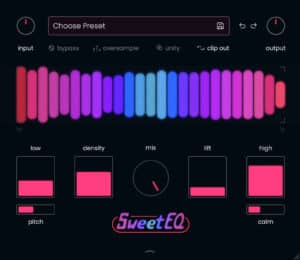
That is a difficult combination to fix with mastering alone. One of the most effective tools I’ve found for improving Suno audio is saturation, both on vocals and across the master, with plugins like SweetEQ helping add back some of the missing harmonic richness.

Suno Vocals Are Still the Weak Point
Vocals are probably the biggest giveaway that you’re listening to AI-generated music.
The performances can occasionally be impressive, but they still tend to have an unnatural quality.
In my experience, Suno vocals often lack some of the weight in the lower frequencies and the natural openness at the very top.
Instead, there’s too much information pushed into the upper-midrange.
That’s one of the reasons they can become harsh very quickly.
If I’m trying to turn a Suno production into something that sounds genuinely polished, the vocal is one of the first things I’d replace.
Tools such as Audimee or Auto-Tune Metamorph can give you much more control over the final voice while allowing you to keep the original idea or performance direction.
You’ll Probably Want to Replace the Hi-Hats Too
Hi-hats expose many of the same problems.
That high-frequency AI smear becomes extremely obvious on short, bright transients.
EQ can improve it.
De-essing can improve it.
Dynamic EQ can improve it.
Saturation can help restore some harmonic richness.
But sometimes the easiest solution is simply:
Replace the hi-hats.
If you’re aiming for professional production quality, rebuilding some of the drums with clean samples can immediately make the whole song feel more expensive.
Suno Sometimes Gets the Music Wrong Too
Prompting in Suno is actually fairly impressive.
Most of the time it understands the general direction you’re looking for.
But understanding the prompt and delivering the performance are two different things.
Sometimes the melody takes a strange turn.
An instrument plays something you wouldn’t expect.
The arrangement develops in a way that doesn’t make musical sense.
Or you get an almost-perfect generation with one section that completely ruins it.
That’s why I wouldn’t necessarily treat a Suno generation as the final production. I treat it more like raw material.
Take the best parts, export the stems, edit the arrangement and replace whatever isn’t working.

Dxt3r's Take: Suno Is a Starting Point, Not the Finish Line
This is where I think people misunderstand AI music.
Suno doesn’t necessarily need to replace your DAW.
It’s much more interesting when it becomes part of your DAW workflow.
Generate the initial song.
Split the stems.
Bring everything into Logic Pro.
Replace weak instruments.
Edit the melodies.
Replace the vocal.
Clean up the high-frequency artifacts.
Mix the stems properly.
Then master it.
That’s when you can start turning a Suno generation into something that sounds much more like a properly produced record.
And because AI-generated tracks have their own recurring sonic problems, I’ve also been building processing specifically around them.
If you don’t want to build everything from scratch, you can use our [Suno Mastering Chain] designed to control the harsh upper mids, improve the tonal balance and give AI-generated songs a more polished final sound.
And if you’re using Logic Pro, our [Suno Logic Pro Mixing Template] gives you a complete starting point for importing, processing and mixing Suno stems inside your DAW. So far in this Suno Review, the biggest takeaway is that Suno is excellent for ideas, but still needs production work.
Suno Pros
- Generates complete song ideas incredibly quickly.
- Excellent for video, film, podcast and background music.
- Great for testing songwriting and production ideas.
- Prompting is surprisingly capable.
- Can produce useful melodies and sample ideas.
- Stem separation gives you much more control.
- MIDI makes it possible to rebuild parts using your own instruments.
Suno Cons
- Noticeable high-frequency smearing.
- Hi-hats and cymbals can sound artificial.
- Vocals still sound unnatural.
- Upper mids can become harsh.
- Extreme highs can feel lacking.
- Generations occasionally contain strange melodies or performances.
- Professional productions will usually require additional editing, mixing and replacement sounds.

Verdict: 4/5 as a Creative Tool — Not 4/5 as a Finished Record
My conclusion from this Suno Review is that Suno works best as a creative starting point rather than a finished production tool.
Suno is incredibly impressive when you look at what it can generate in a few seconds.
For ideas, demos, background music and quickly exploring a concept, it’s one of the most useful AI music tools available.
But I wouldn’t blindly export a Suno song and call it finished.
If you’re chasing professional production quality, there is still work to do.
Use Suno for the speed.
Then use your ears, your DAW and proper mixing and mastering to finish the job.
That’s where I think AI music becomes genuinely powerful.
And if you’d like to try Suno for yourself, you can [sign up here]. Some links in this article are affiliate links, so we may earn a small commission at no extra cost to you. Thanks so much for supporting our work — it genuinely helps us keep creating more content like this.
-

XXXTENTACION Vocal Chain | Waves
£19.99 Add to cart -
Sale!
Suno AI Mastering Presets | Master Plan
£39.99Original price was: £39.99.£19.99Current price is: £19.99. Add to cart -
Sale!
Hip-Hop Vocal Chains Pro | Logic Pro
£99.99Original price was: £99.99.£39.99Current price is: £39.99. Add to cart -
Lil Wayne Type Vocal Chain | Waves
£9.99 Add to cart